
For members · updated November 2026
The Wellonis member handbook
Everything you need to train with a coach on Wellonis: from creating your free account to getting your plan, logging workouts and messaging your coach. Screenshots use an example member, Jordan Lee, and an example coach, Sam Taylor.
Quick start: training in 10 steps
- 1.Create a free account at wellonis.com/signup (email, password, 18+).
- 2.Choose your @username, name, date of birth and country.
- 3.Fill in My profile: goal, experience, body numbers and any health notes.
- 4.Open Find a coach and filter by goal, language, price and online or in person.
- 5.Open a coach, choose a package, tell them your goal and tap Send request.
- 6.When the coach accepts, pay by card, Google Pay or Apple Pay.
- 7.Your plan arrives in My plans. Read it, then tap Accept plan.
- 8.Tap Open and train, log your sets, or download the PDF for the gym.
- 9.Message your coach, book video calls and answer the weekly check-in.
- 10.Turn on phone notifications or get the Android app so you never miss a reply.
Welcome to Wellonis
Wellonis helps you find a real coach and train with them, online or in person. Your coach writes a plan for you, you train with it in the app, and you can message them and book video calls along the way. Joining is free: you only pay for the coaching packages you choose.
- Coaches for every goal: personal trainers, strength, sport, physique, running, yoga and Pilates, mobility, nutrition, lifestyle and fitness coaches.
- Every coach is checked by our team before they appear in Find a coach.
- You pay Wellonis, not the coach directly. We hold your payment until your plan arrives and you're happy with it.
- Free tools are included: workout logging, progress check-ins, habits, a food diary, challenges and Reps points.
- Wellonis is for adults 18 and over. It's for general fitness and wellness, not medical care or emergencies.
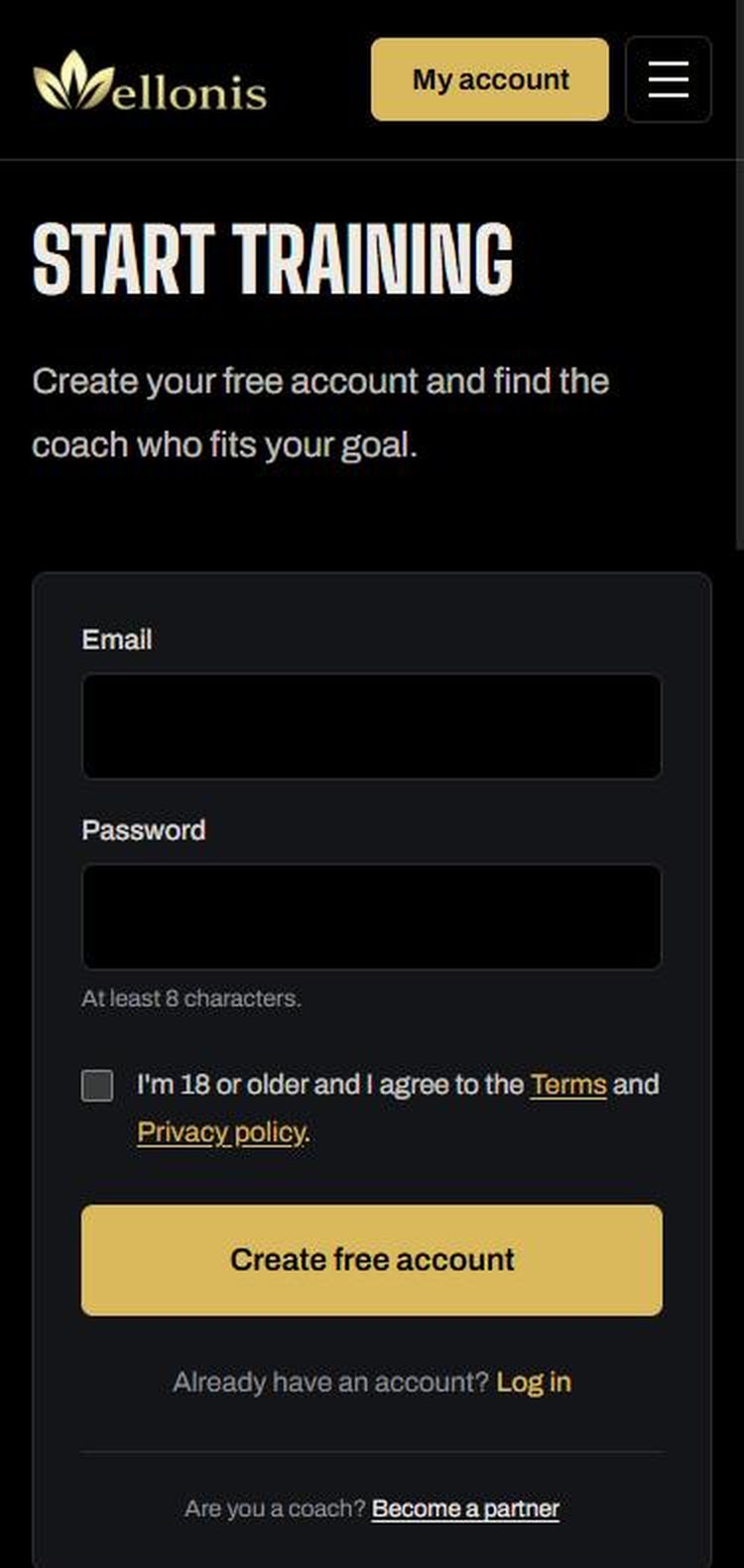
1. Create your free account
It takes about a minute. Use an email you check often: that's where your coach's replies and plan updates arrive.
- 1Go to wellonis.com/signup (or tap Sign up free at the top of any page).
- 2Enter your email and a password of at least 8 characters.
- 3Tick the box to confirm you're 18 or older and agree to the Terms and Privacy policy.
- 4Tap Create free account. If we send you a confirmation email, open it and tap the link.
- 5Choose your @username, then add your full name, date of birth and the country you live in. Our team checks that names and ages are genuine.
Tip: Already have an account? Tap Log in. Forgot your password? Use Forgot password on the log in page and we'll email you a link.
2. Find your way around
After you log in you land on My profile. The menu runs along the top on phones (swipe it sideways for more) and down the side on computers. A number on a menu item, like Messages 3, means something new is waiting.
- My profile: your goal, body numbers and health notes for your coach.
- Find a coach: browse and filter coaches, then open one to see packages.
- My plans: every plan your coaches have sent, ready to train or print.
- My coaches: your requests, payments, video calls, reviews and refunds.
- My progress, Habits, Food diary: track weight, measurements, sleep, steps and meals.
- Messages: chats with your coaches, your notifications and Wellonis support.
- Payments, My rating, Challenges, My Reps, My videos, Community, Settings.
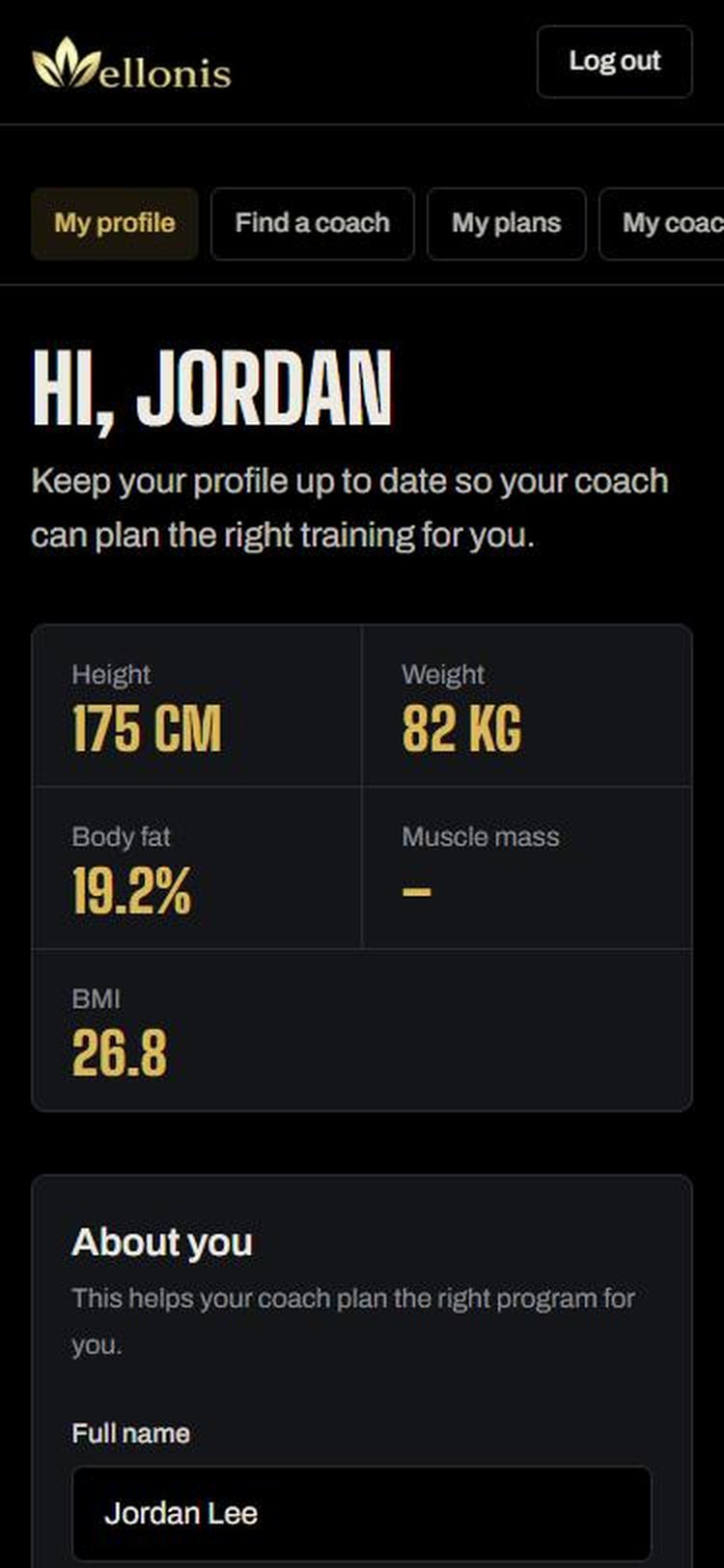
3. Fill in your profile
Your coach reads your profile before writing your plan, so the more you add, the better your plan fits. Only coaches you've paid can see it, and only while you train together.
- 1About you: main goal (for example fat loss, muscle or fitness support) and your training experience.
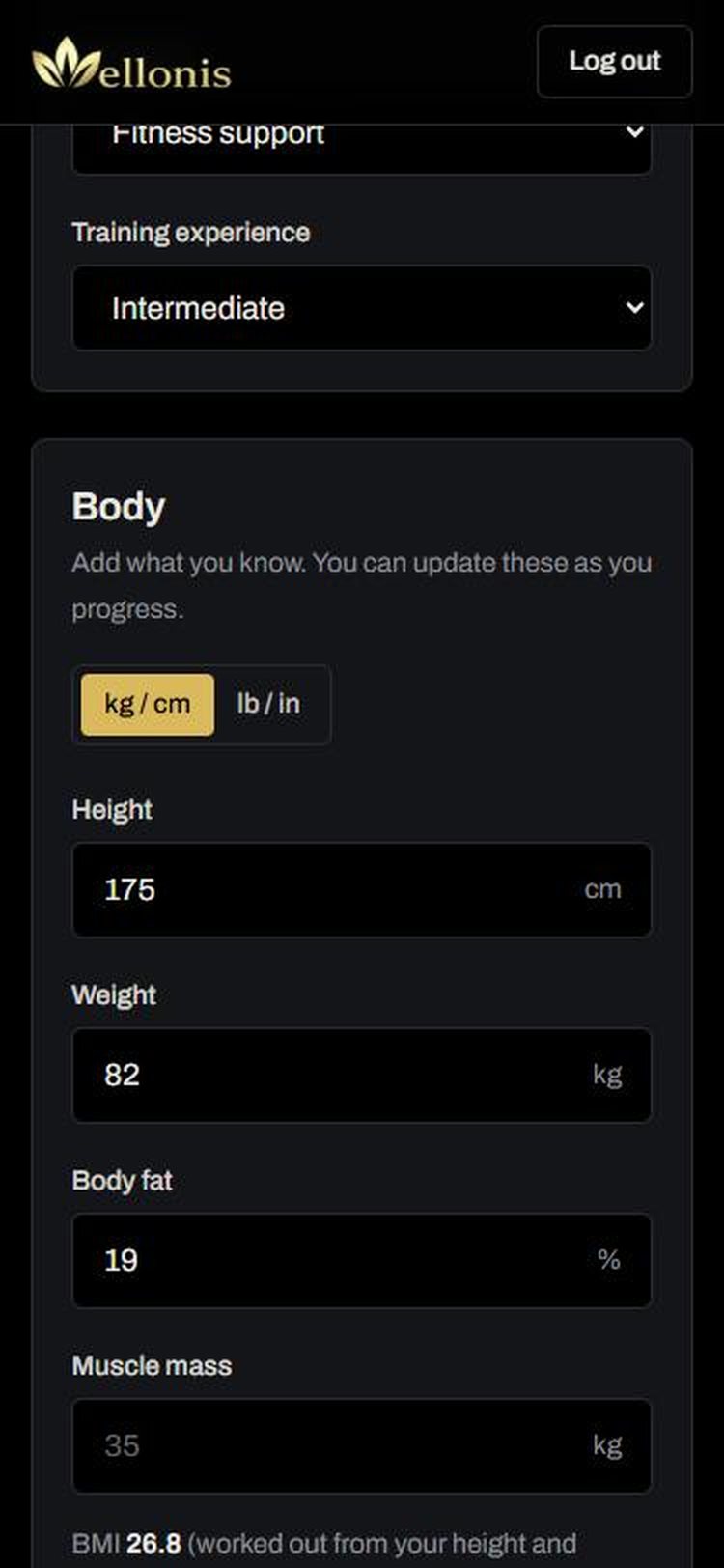
- 2Body: height and weight in kg/cm or lb/in. Body fat and muscle mass are optional. Your BMI is worked out for you.
- 3Body measurements: chest, waist, hips, arm and thigh, if you know them.
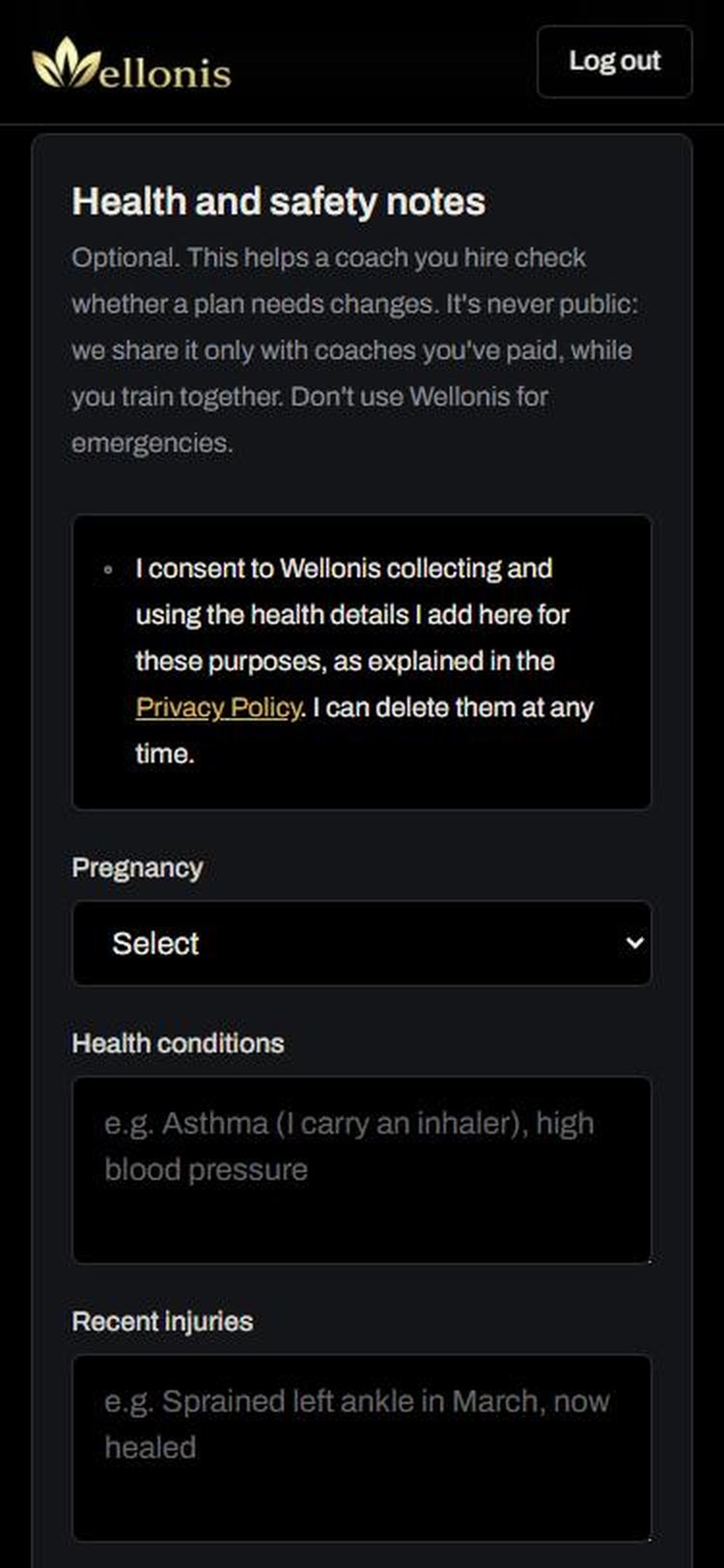
- 4Health and safety notes: pregnancy, health conditions, recent injuries and long-term injuries or limits. Tick the consent box first. You can delete these at any time.
- 5Tap Save at the bottom of the page.
Tip: Tell your coach about anything that hurts or any condition you have. They can only plan around what they know. Wellonis isn't for emergencies: if something is urgent, call your local emergency number.
4. Find the right coach
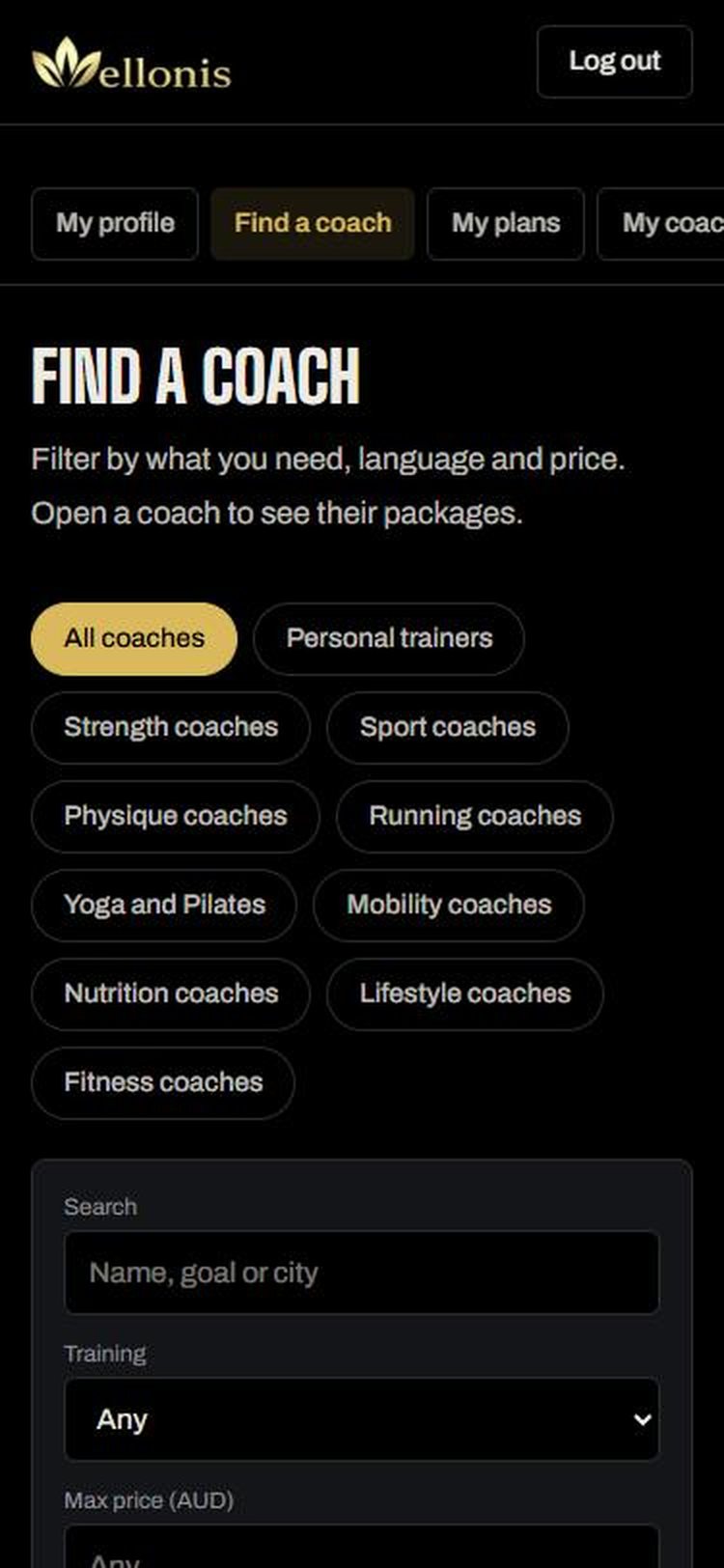
Open Find a coach. Tap a coach type at the top, or use the filters to narrow it down.
- 1Coach type: tap Personal trainers, Strength coaches, Running coaches, Nutrition coaches and so on, or All coaches.
- 2Search by name, goal or city.
- 3Training: Online, In person, or Any.
- 4Max price, Language (coaches who speak your language) and Coach (Anyone, Female coach or Male coach).
- 5Sort by Recommended, Top rated, price or Newest, then tap Show coaches.
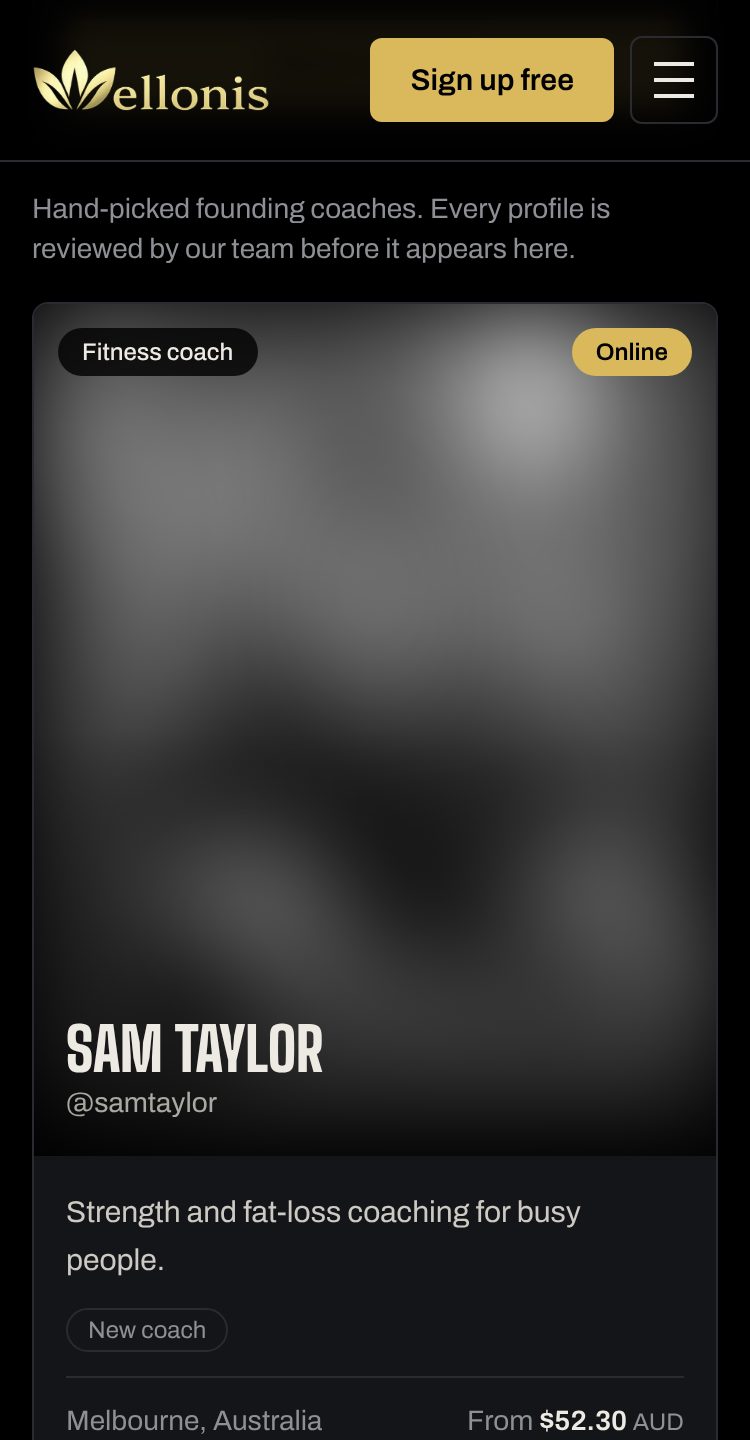
- 6Each card shows the coach's photo, type, rating, clients coached, city and starting price. Prices include a Wellonis service fee (4% + 30c) that covers secure payment processing; the breakdown is shown under each price. Tap a card to open the profile.
Tip: Can't find what you need? Tap Tell us what you need at the bottom of Find a coach. We invite coaches based on what members ask for and let you know when there's a fit.
5. Choose a package and send a request
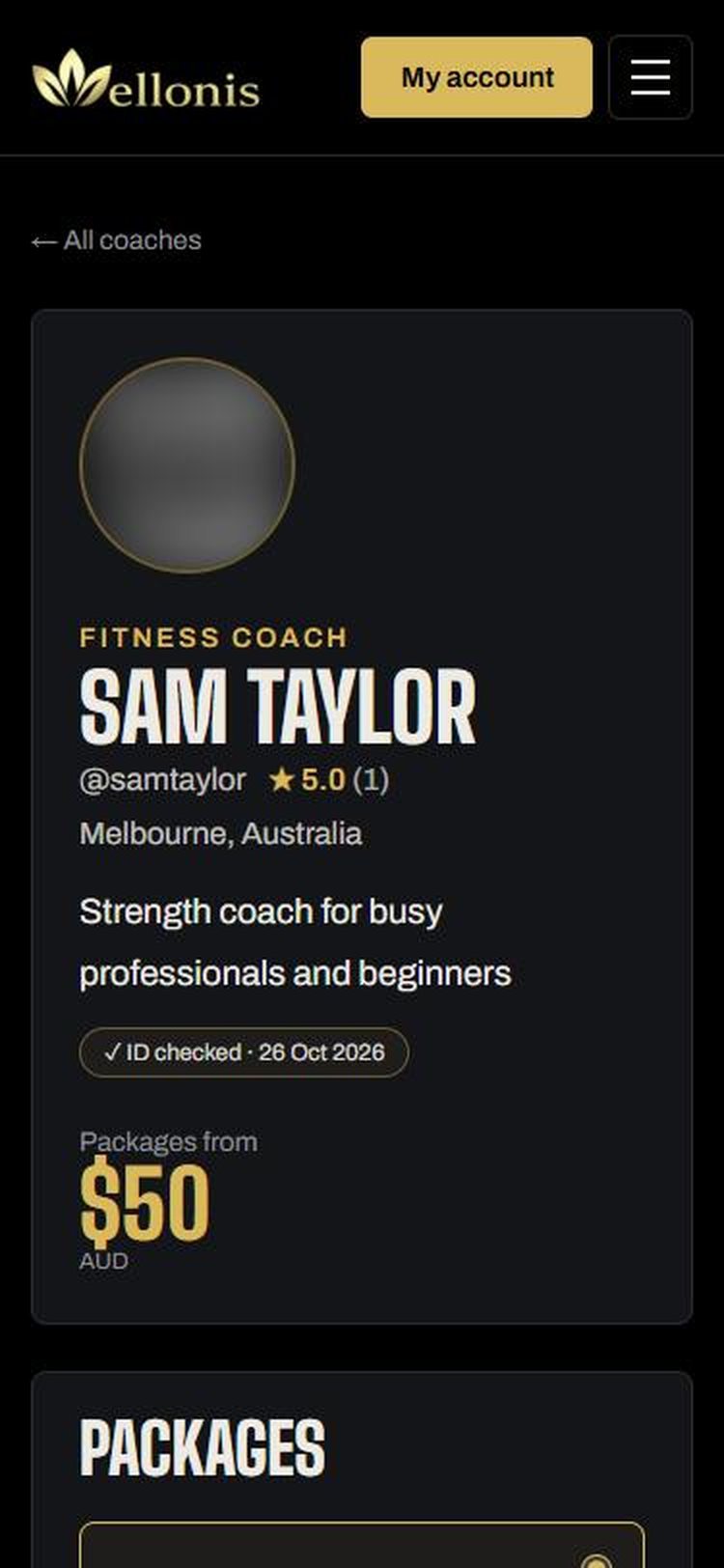
A coach's profile shows their headline, rating, the checks our team has done (like ID checked), their packages and prices, bio, qualifications, experience, reviews, languages and video call times.
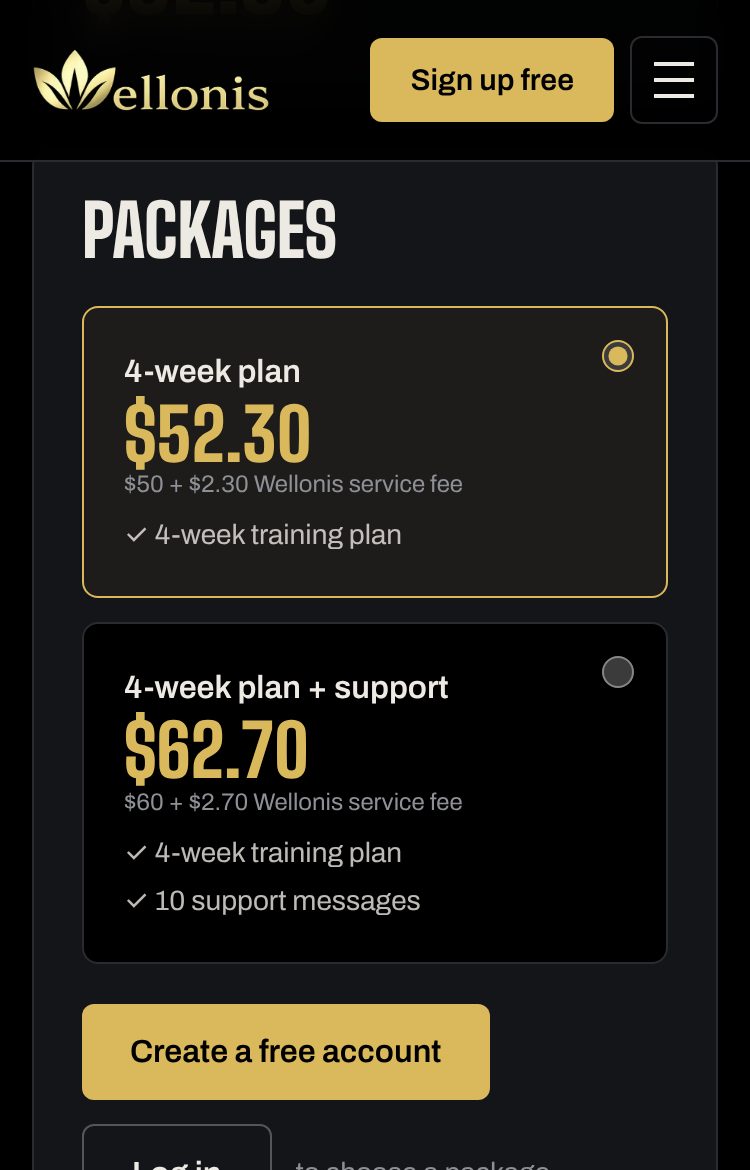
- 1Under Packages, tap the package you want. Each one says what's included, for example a 4-week training plan and 10 support messages.
- 2In Your goal, tell the coach what you want to achieve and anything they should know.
- 3Tap Send request. The coach gets a notification straight away.
- 4You'll see Waiting for the coach to reply. You haven't paid anything yet.
6. Follow your request in My coaches
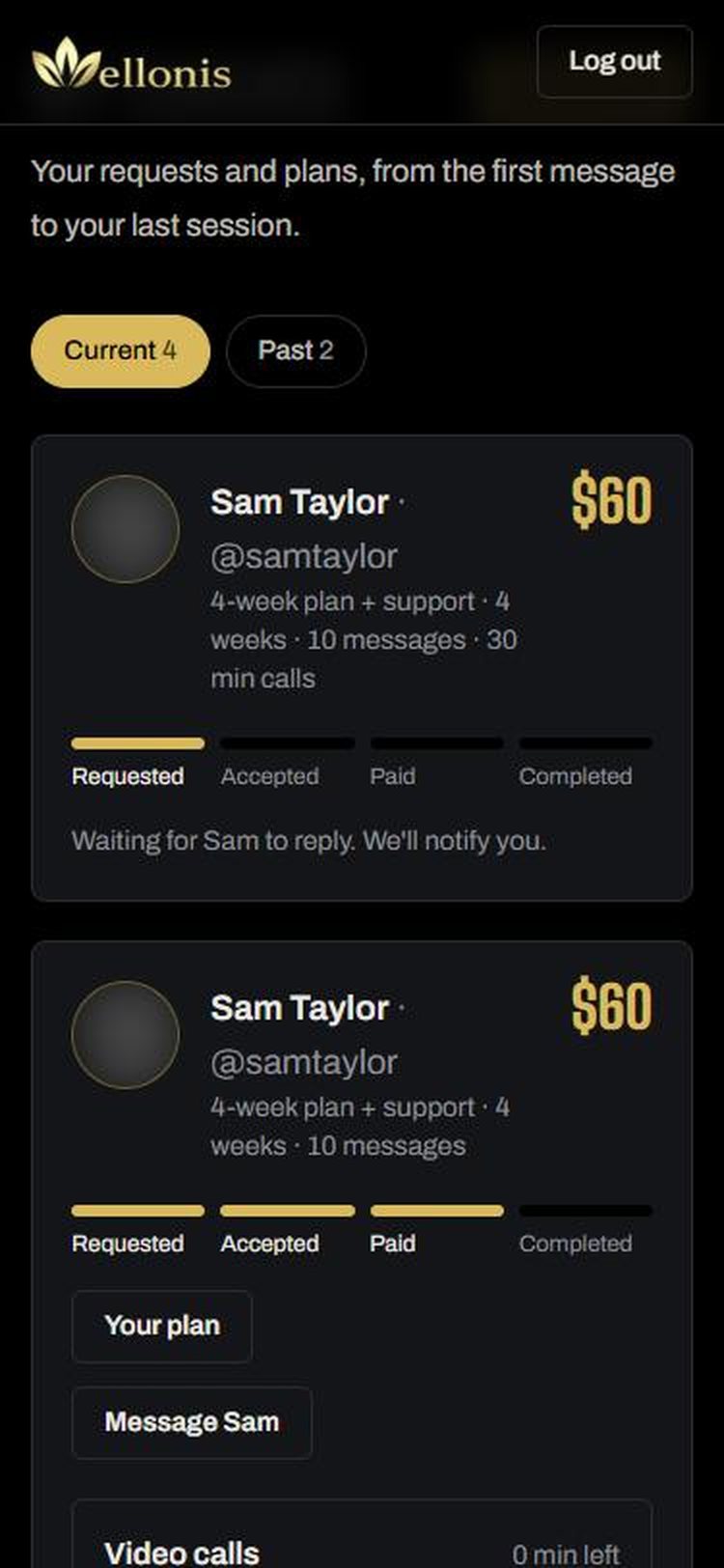
My coaches shows every request with a progress bar: Requested, Accepted, Paid, Completed. We send you a notification each time it moves on. Use Current and Past to switch between active and finished coaching.
- Requested: waiting for the coach. If they decline, you can choose another coach. Nothing is charged.
- Accepted: the coach said yes. Pay to start your plan.
- Paid: your coach is writing or has sent your plan. Here you'll find Your plan, Message your coach, Video calls and Rate your coach.
- Completed: the coaching has finished. It moves to Past.
7. Pay safely
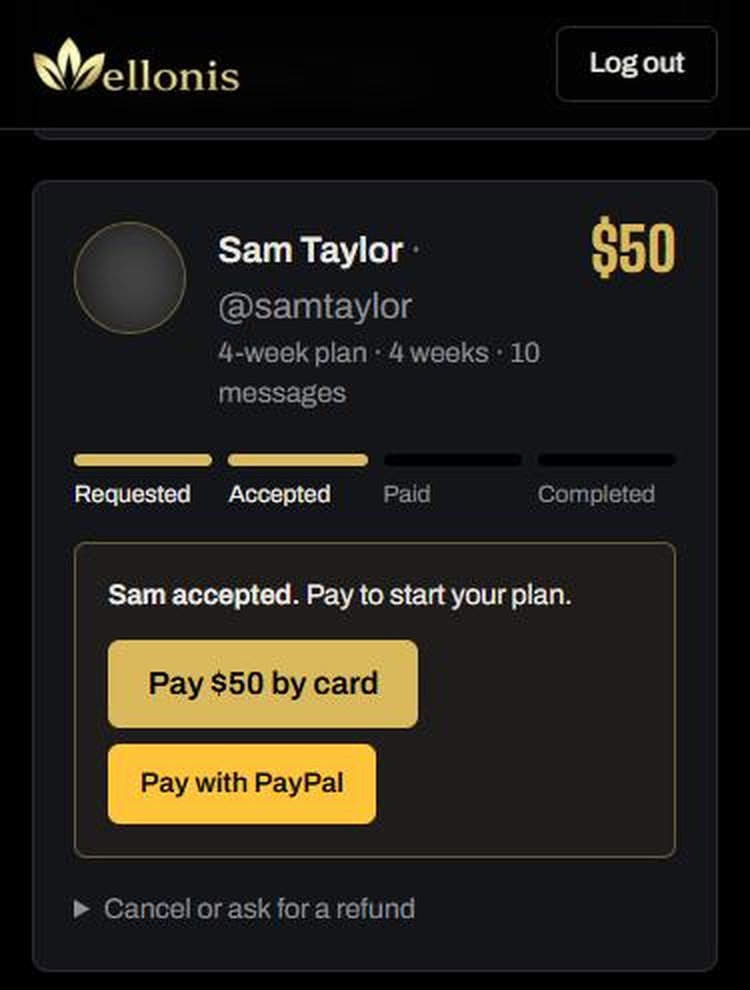
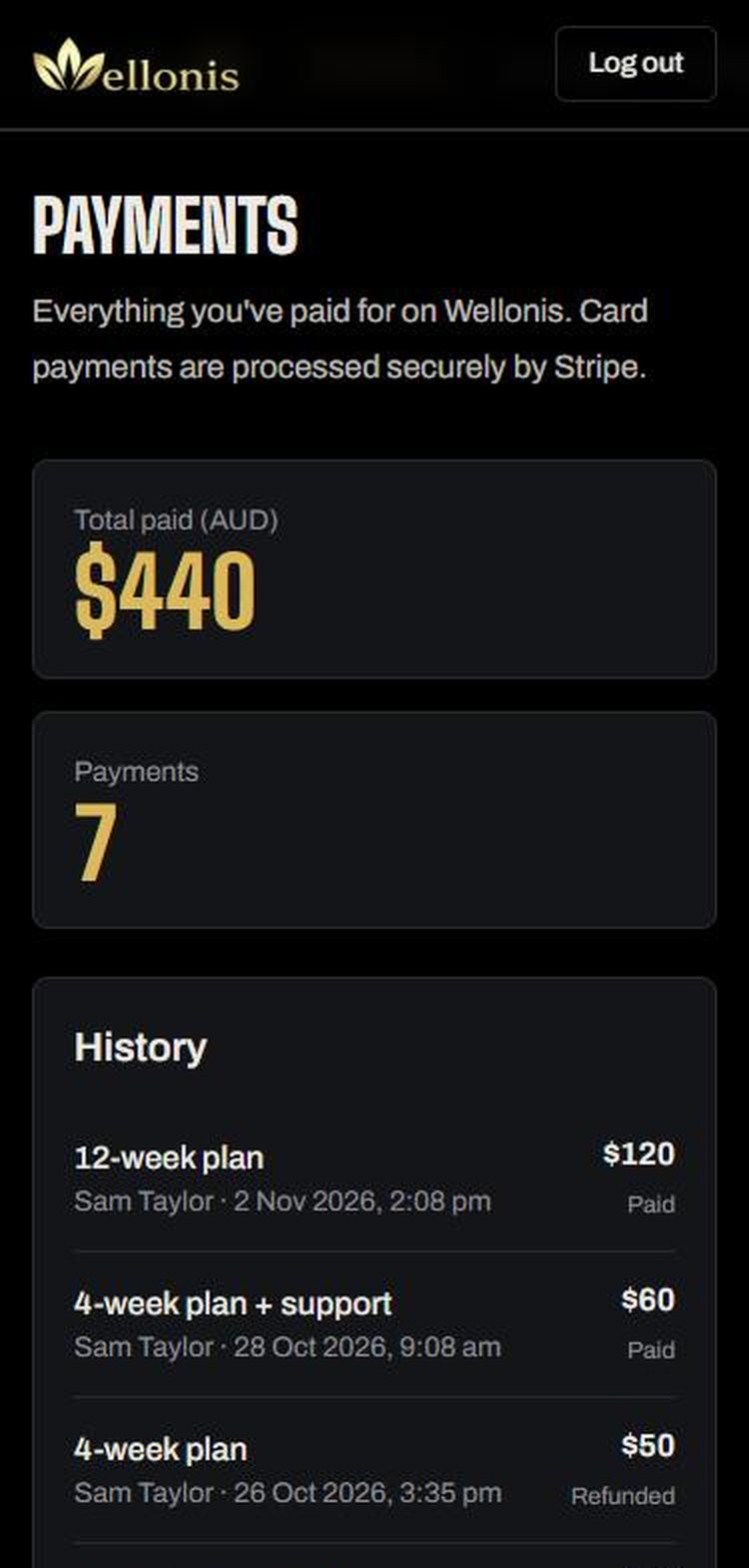
When the coach accepts, the request shows a Pay button. Prices are in Australian dollars (AUD) and include the Wellonis service fee (4% + 30c, the same however you pay); your bank converts if you pay in another currency.
- 1Tap Pay by card, Google Pay or Apple Pay to pay with a debit or credit card, a wallet, PayTo or the other options shown at checkout. These are processed by Stripe: Wellonis never sees your card details.
- 2When payment is done you'll see Payment done, and your coach is told to send your plan.
Tip: Your payment is held by Wellonis, not paid to the coach yet. The coach is only paid after your plan arrives and you accept it, or 48 hours pass without you reporting a problem.
8. Get your plan
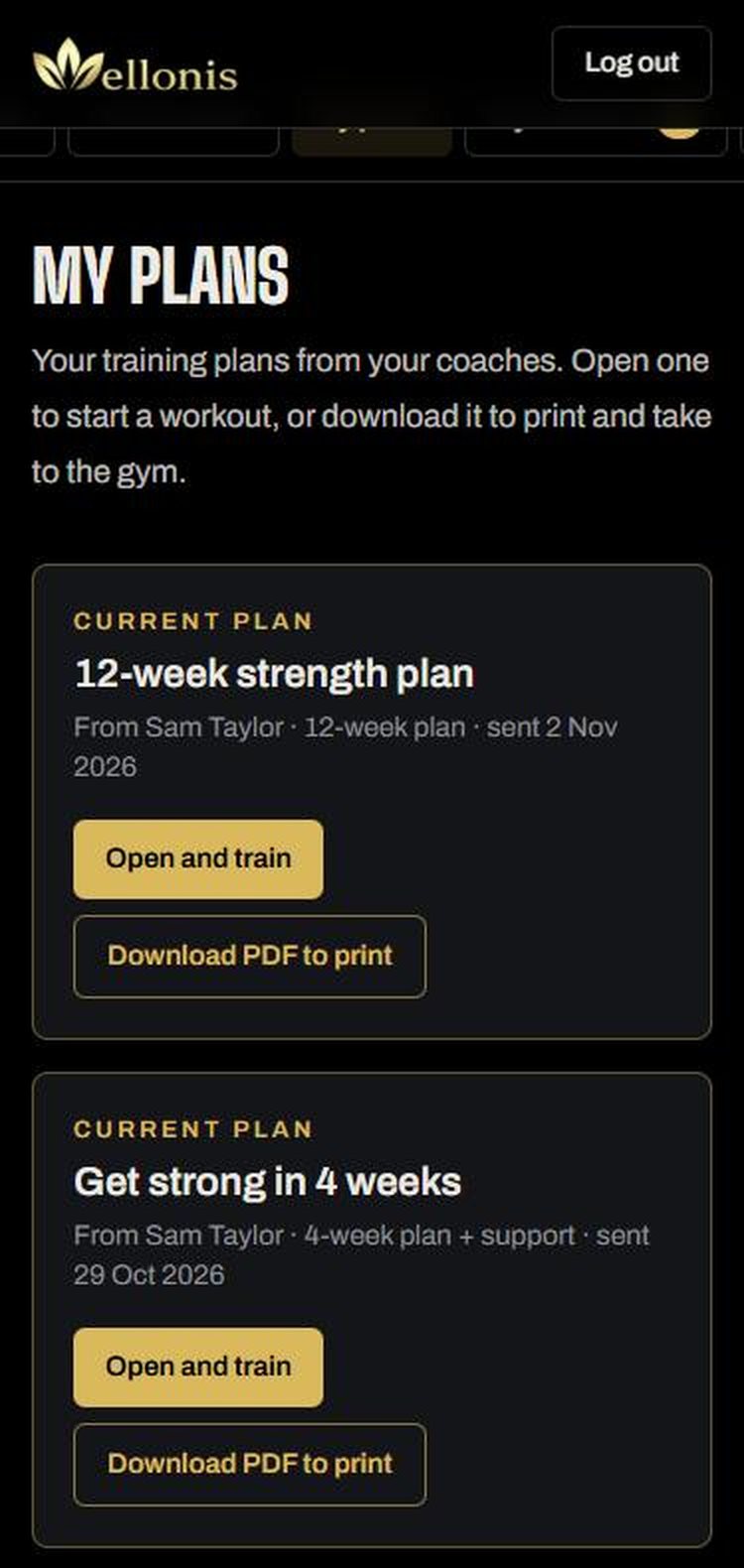
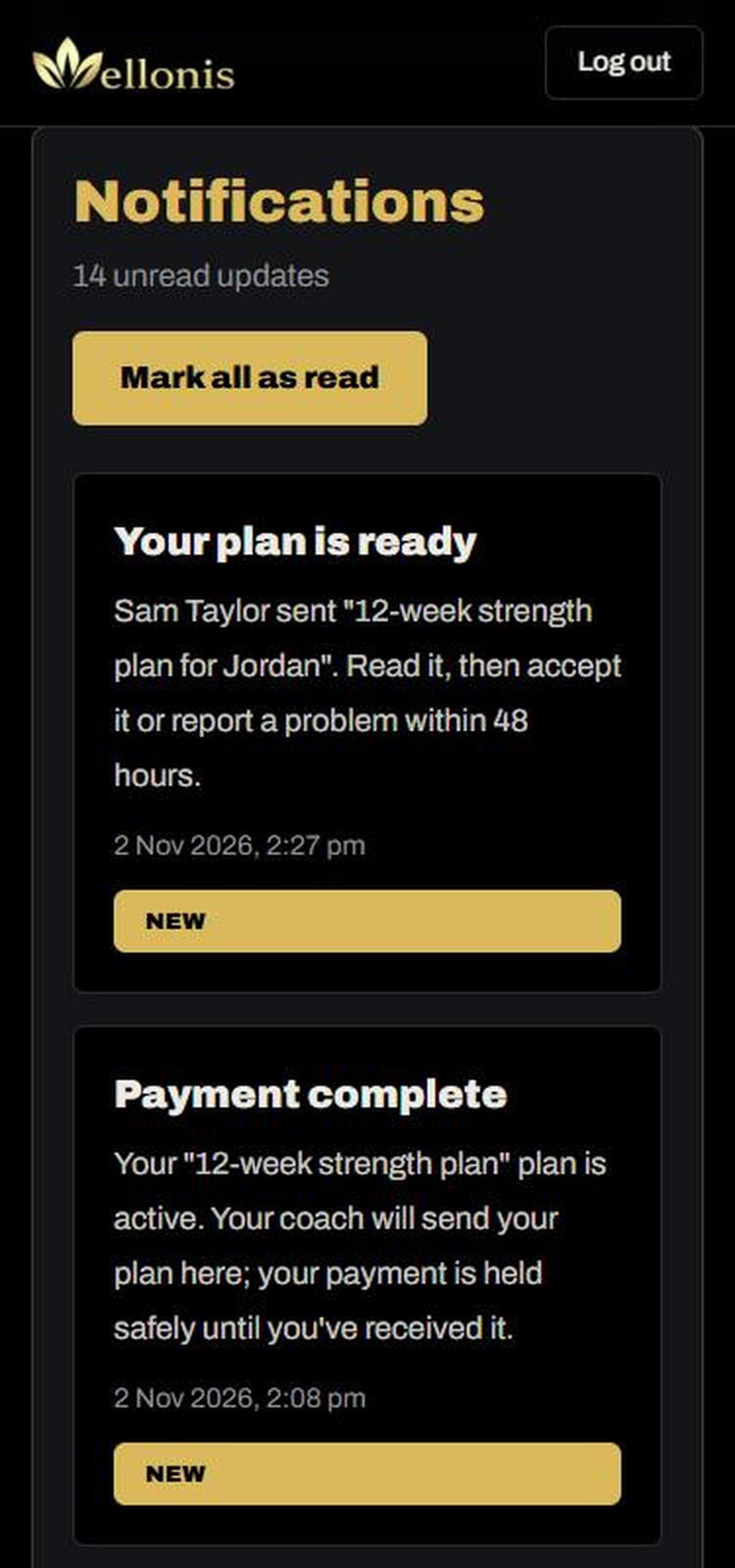
When your coach sends your plan you get a notification, and it appears in My plans. Open it from the notification or tap My plans in the menu.
- 1Read the plan: training days, exercises, sets, reps, rest times and how to progress.
- 2If it's a proper plan made for you, tap Accept plan. Your coach gets paid.
- 3If something is wrong (for example it isn't what the package promised), open Report a problem and tell us what happened. Your payment stays on hold while our team reviews it, usually within 2 business days.
- 4If you don't answer within 48 hours, the plan counts as accepted.
9. Train with your plan
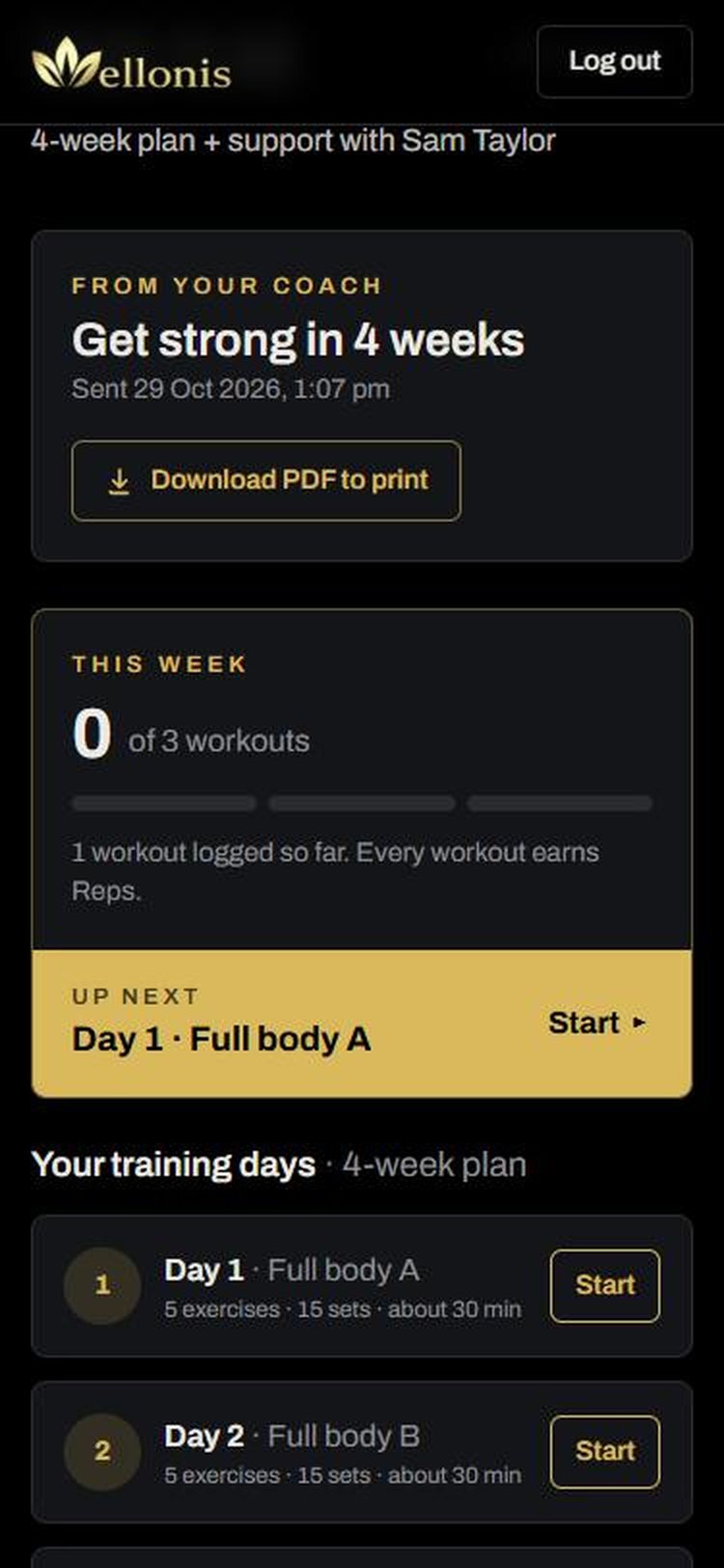
Tap Open and train. The plan page shows how many workouts you've done this week and what's up next.
- 1Tap Start next to Up next (or next to any training day).
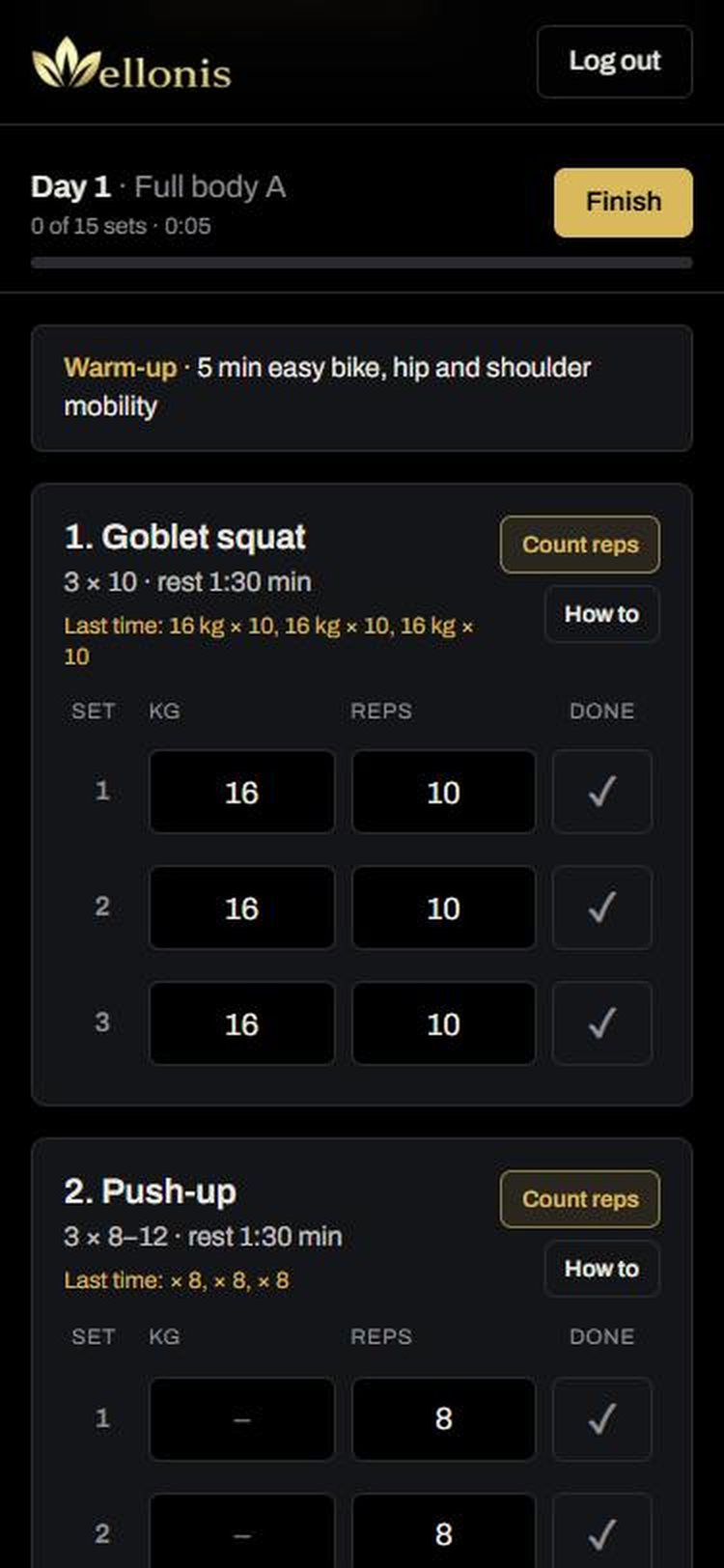
- 2For each exercise, enter the weight (kg) and reps you did and tap the tick when the set is done. Last time shows what you lifted before.
- 3Tap How to for a demo of the exercise. Count reps uses your camera to count for you (the video stays on your phone).
- 4Tap Finish when you're done. Your workout is saved, your coach sees it, and you earn Reps.
- 5Prefer paper? Tap Download PDF to print. Write your weights in the W1–W6 boxes each week and tick each day you finish.
Tip: On the Android app, Download PDF saves the plan to your Downloads and opens it straight away.
10. Weekly check-in and progress
Small updates help your coach adjust your plan. Each one also earns Reps.
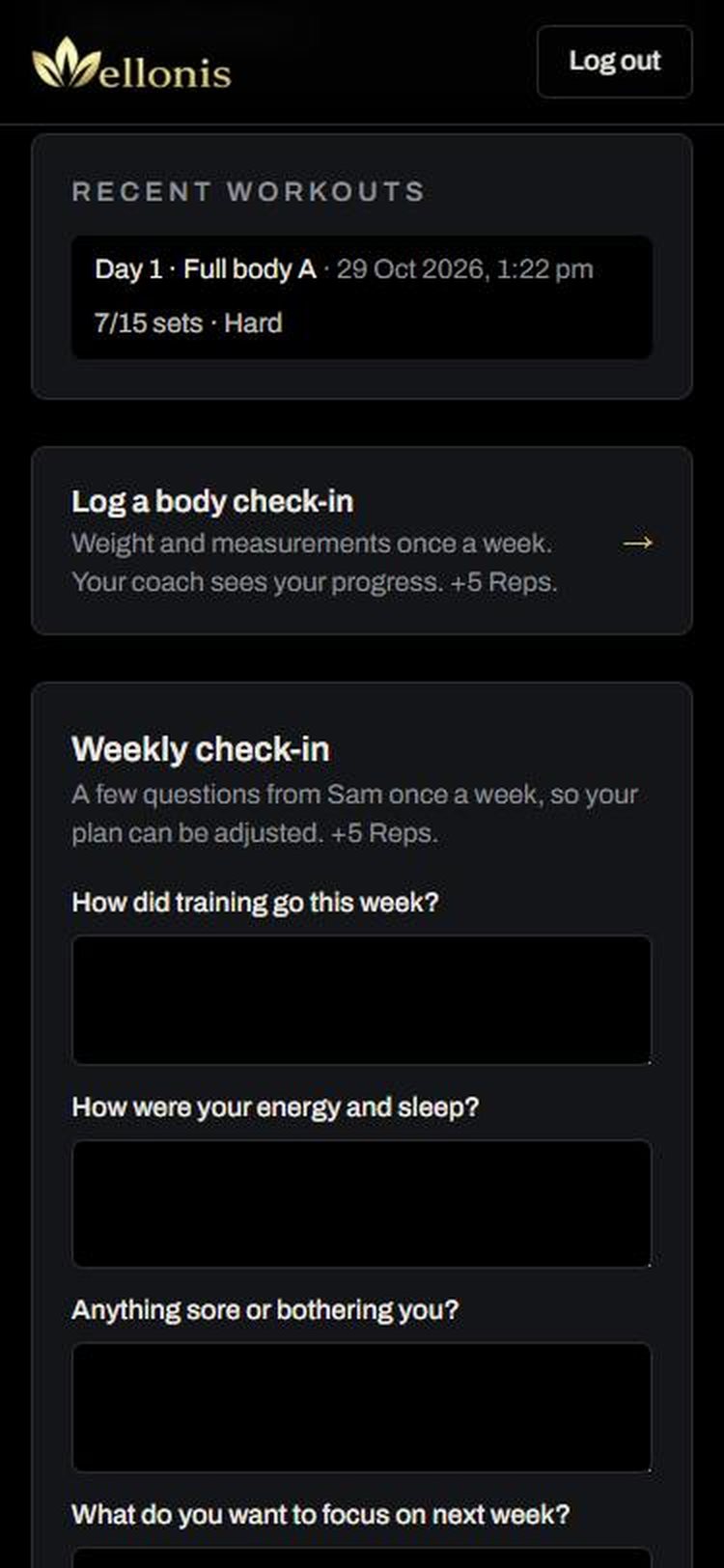
- Weekly check-in (on your plan page): answer your coach's questions about training, energy and sleep, anything sore, and what to focus on next. Tap Send to my coach.
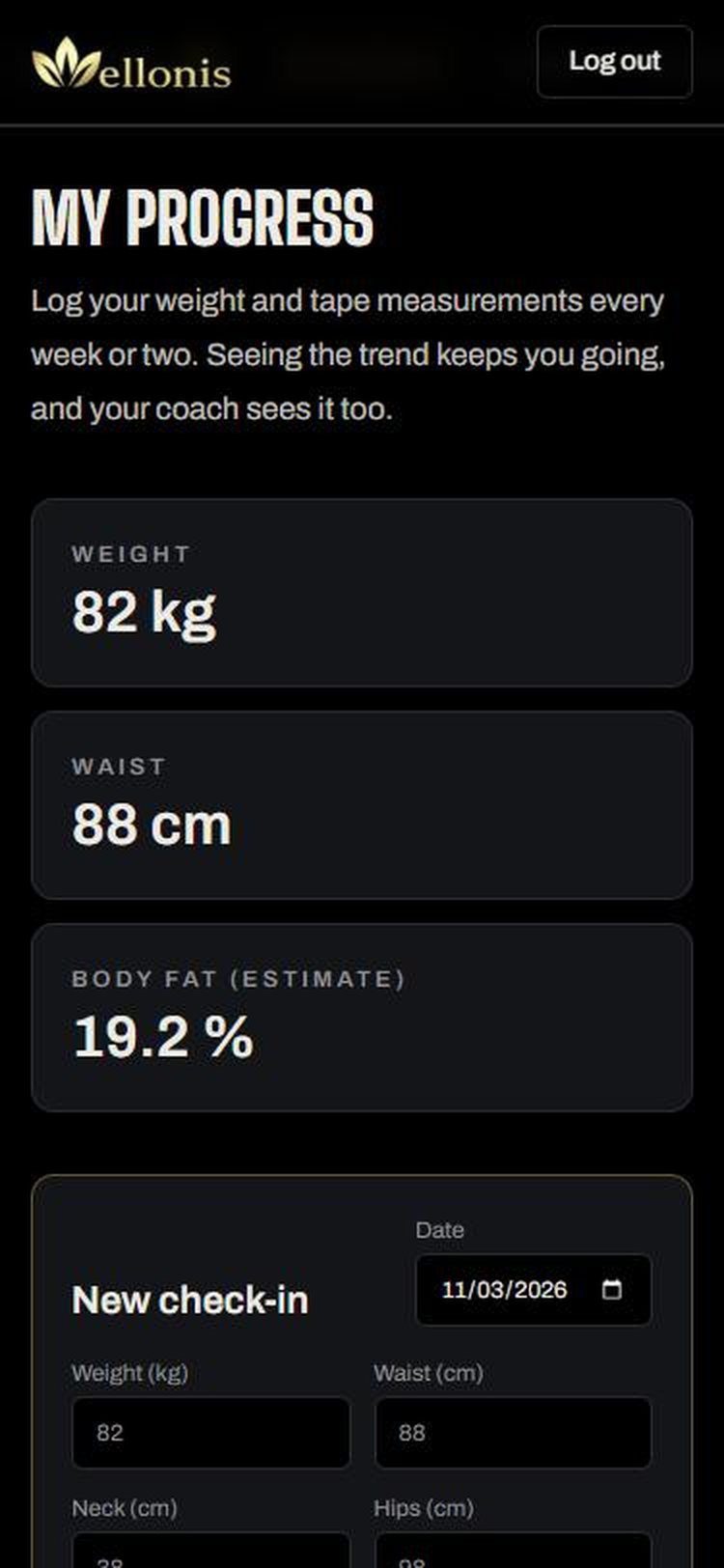
- My progress: log weight and tape measurements every week or two, ideally at the same time of day. Charts show your trend, and body fat is estimated from your waist and neck.
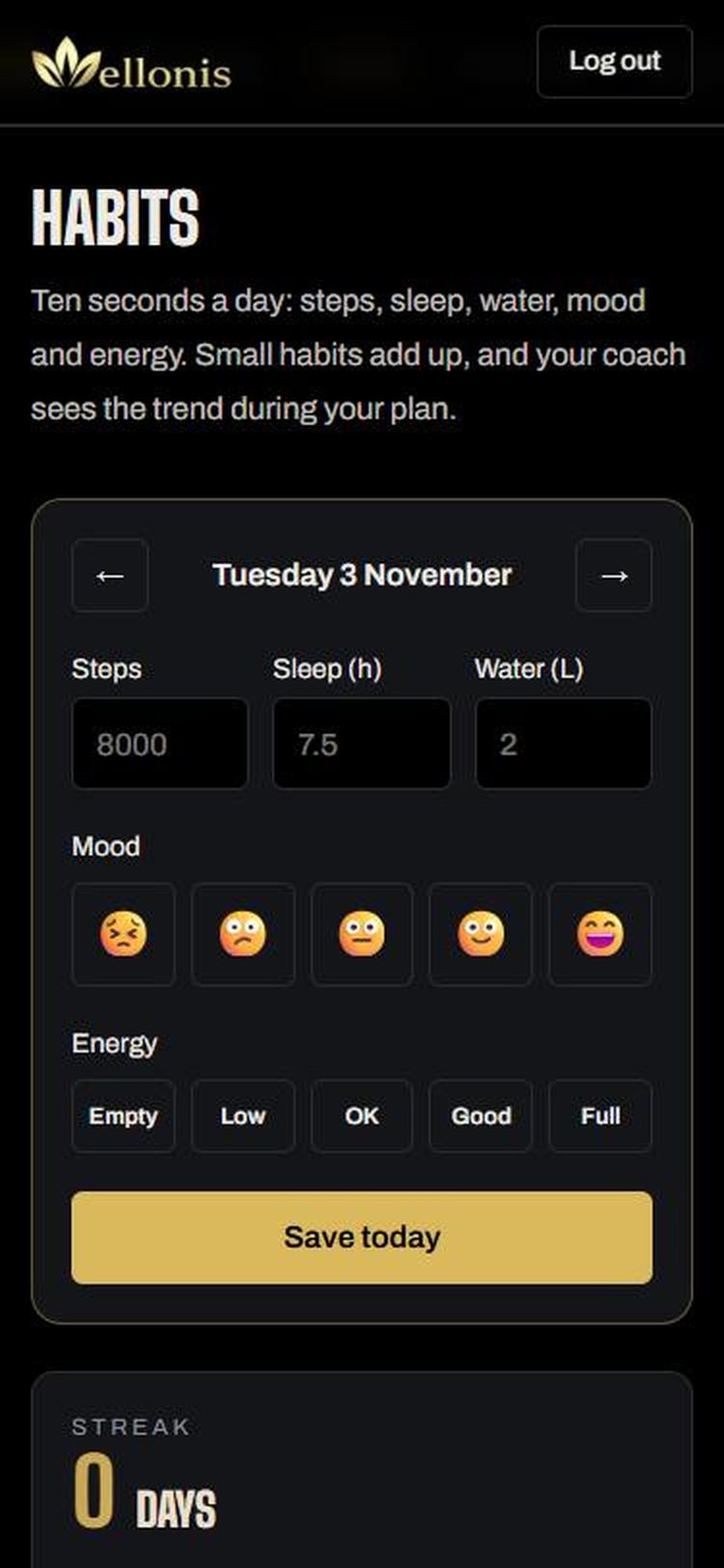
- Habits: ten seconds a day for steps, sleep, water, mood and energy. Keep your streak going.
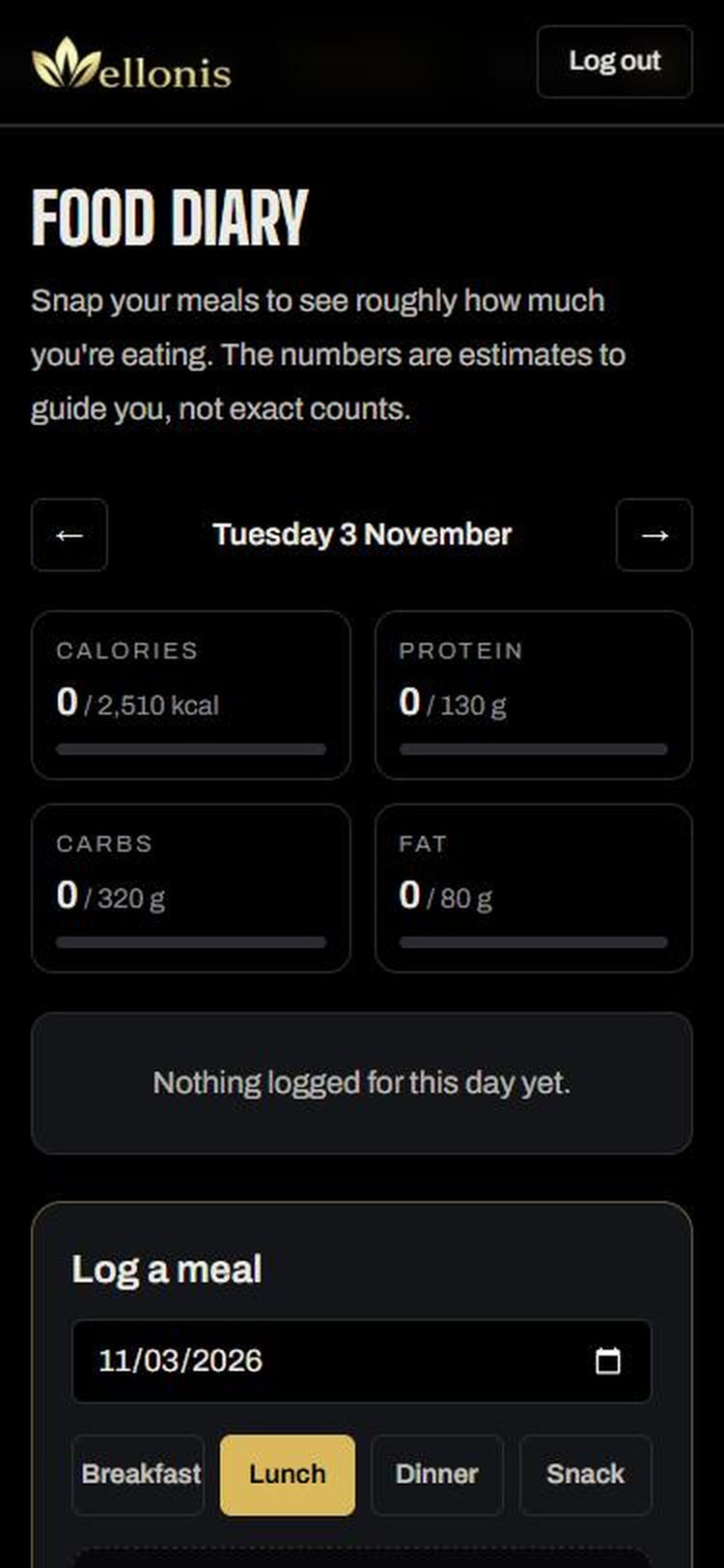
- Food diary: snap a photo of a meal or type what you ate to see rough calories, protein, carbs and fat. These are estimates to guide you, not exact counts.
Tip: Your progress, habits and food diary are private. Your coach can see them only while you have an active plan together.
11. Message your coach
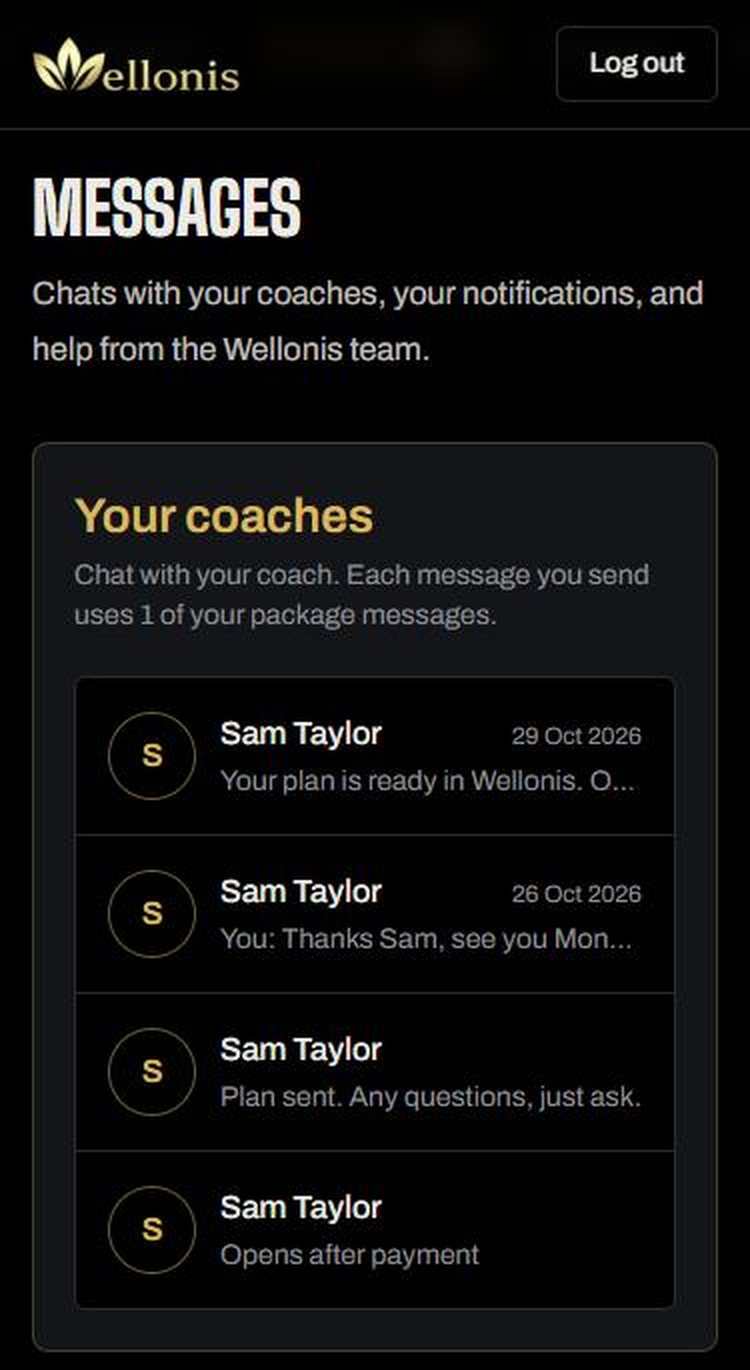
Open Messages and tap your coach, or tap Message your coach in My coaches. Messages also lists your notifications and help from the Wellonis team.
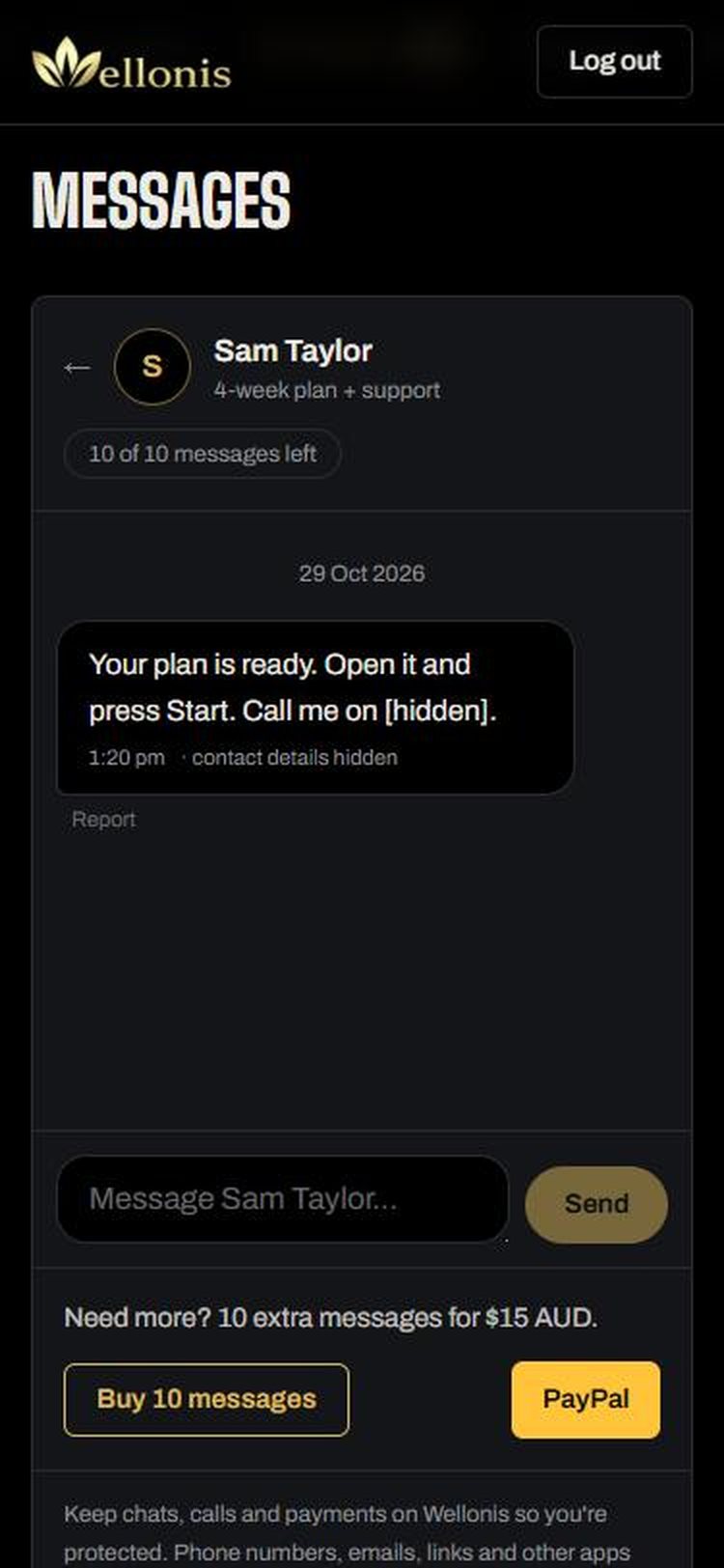
- Each message you send uses 1 of your package messages. The chat shows how many you have left.
- Need more? Buy 10 extra messages by card right under the chat.
- Phone numbers, emails, links and other apps are hidden automatically. Keep chats, calls and payments on Wellonis so you're protected.
- If a message is rude or unsafe, tap Report under it.
12. Video calls
If your coach offers video calls, you can book call time once your package has started.
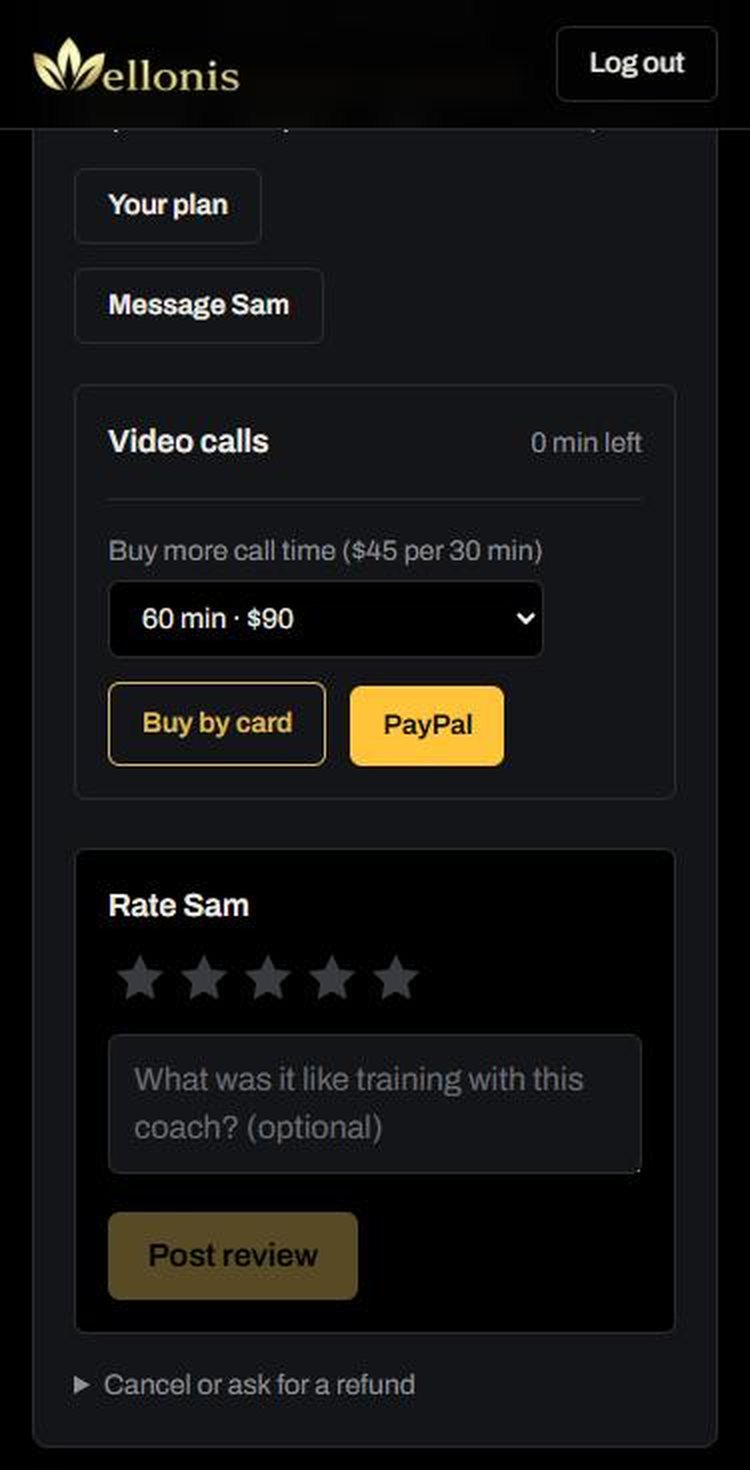
- 1In My coaches, find Video calls under your active plan. It shows how many minutes you have left.
- 2No minutes? Choose 30, 60, 90 or 120 minutes and tap Buy.
- 3Pick a free time from the coach's calendar, add what you'd like to cover, and book. The coach confirms every booking and you get a notification.
- 4At call time, open the booking and join from your phone or computer. No app download needed.
Tip: If your coach misses a call you joined, you're refunded for that call automatically.
13. Reviews, cancellations and refunds
You're protected at every step.
- Rate your coach in My coaches once you've trained together: choose stars and add a few words. Honest reviews help other members.
- Cancel before the coach accepts: no cost.
- Cancel after paying but before the coach starts work: full refund.
- Something wrong with your plan or coaching? In My coaches open Cancel or ask for a refund and tell us what happened, or use Report a problem on the plan. Our team reviews it, usually within 2 business days.
- If a coach cancels or doesn't deliver what you paid for, you get a full refund or another fix you agree to.
- Refunds go back to where you paid from: usually 5–10 business days for cards.
Tip: Any cooling-off or refund right your local law gives you still applies. Full details are on wellonis.com/refund-cancellation.
14. Reps, challenges and community
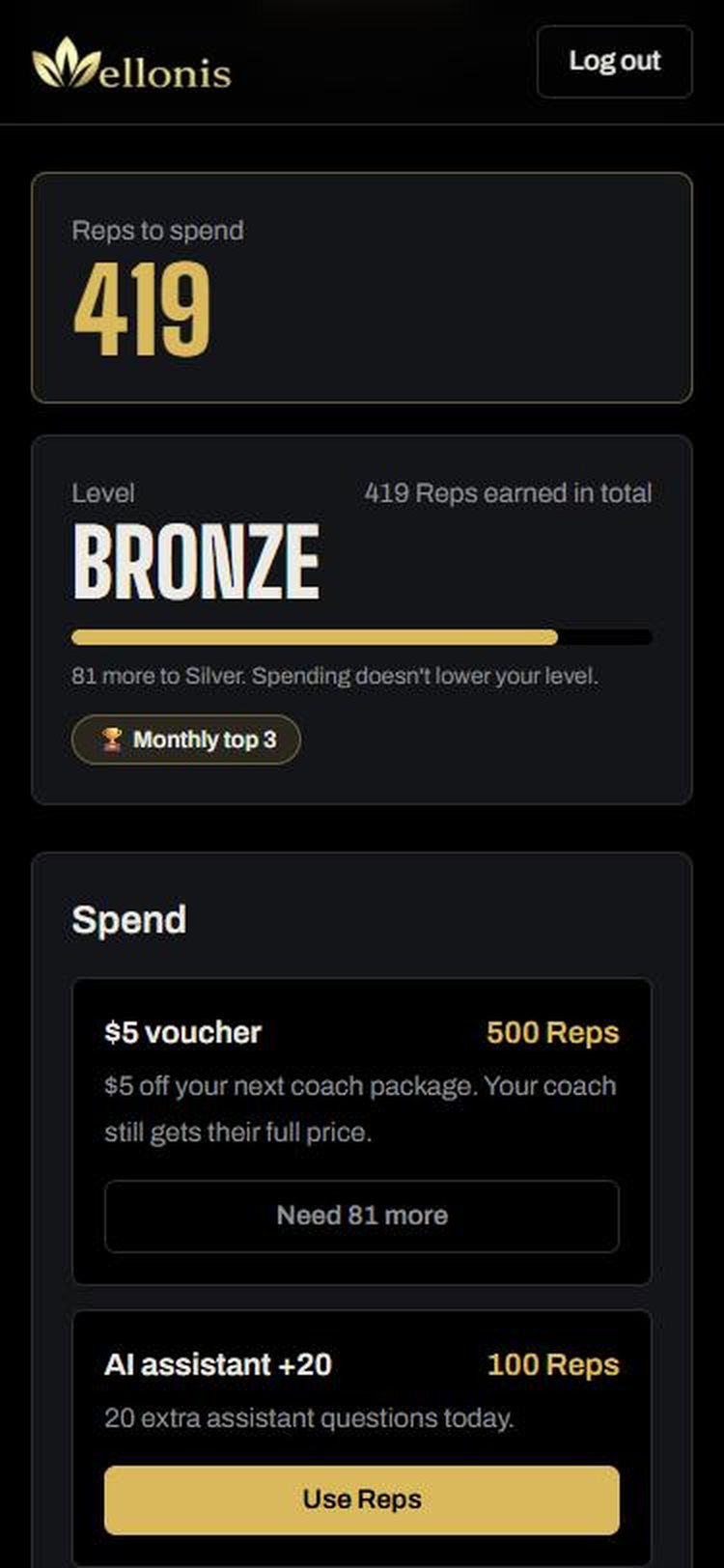
Reps are Wellonis points. You earn them for training and helping others, then spend them on perks.
- Earn Reps for finishing a workout from your plan, your weekly body check-in, logging habits, answering your coach's check-in and completing challenges.
- Spend them on perks such as a $5 voucher off your next coach package (your coach still gets their full price).
- Your level (Bronze, Silver and up) is based on all the Reps you've earned. Spending doesn't lower it.
- Challenges: join one, train, and climb the monthly leaderboard. Progress counts automatically.
- Community: share progress, ask questions and cheer others on. Please follow the community guidelines.
15. Settings, notifications and the app
Open Settings in the menu.
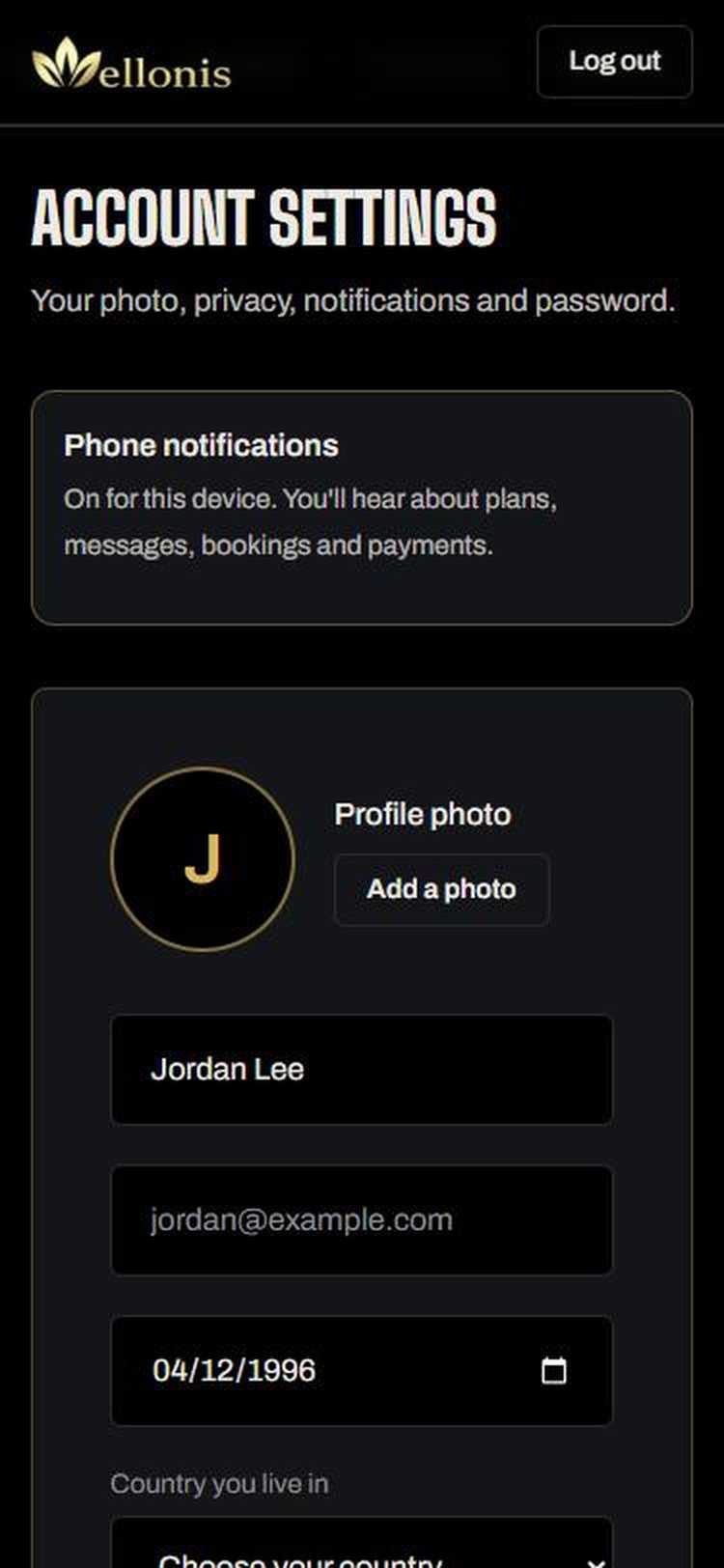
- Phone notifications: tap Turn on so you hear about plans, messages, bookings and payments straight away. Send a test checks it works.
- Your photo, name, email, date of birth and country.
- Privacy and visibility, email notifications and Change password.
- Delete account: removes your account straight away. See wellonis.com/delete-account for exactly what's deleted.
- Android: get the Wellonis app from wellonis.com/app for notifications and quick access. On iPhone, open wellonis.com in Safari and add it to your Home Screen.
Stay safe
A few simple rules keep training on Wellonis safe and fair.
- Keep chats, calls and payments on Wellonis. If you pay a coach outside Wellonis, we can't protect you or refund you.
- Never share passwords, card numbers or bank details in chat.
- Train within your limits. If something hurts, stop and tell your coach. See a doctor for injuries, pain or health worries.
- Report anything unsafe with Report in the chat, or at wellonis.com/report.
Questions
- Is it free to join? Yes. You only pay for the packages and extras you choose. There's no subscription.
- When does my coach get paid? Only after your plan arrives and you accept it (or 48 hours pass without you reporting a problem).
- Can I have more than one coach? Yes. Each request and plan is shown separately in My coaches and My plans.
- My coach hasn't replied. You'll get a notification when they do. If a paid plan hasn't arrived after a few days, we remind the coach, and our team follows up.
- I can't find my plan. Open My plans in the menu, or the notification that says Your plan is ready.
- How do I get help? Tap Ask Wellonis (the gold button) for quick answers or to report a problem, or email hello@wellonis.com.
Ready to train?
Joining is free. Find a coach who fits your goal and start this week.